
Description
✅ Condition: New – Factory-tested quality & Warranty
✅ 500mAh High Capacity – Restores original 70-day battery life
✅ CE / RoHS Certified – Safety tested
✅ 90-Day Warranty from delivery – Hassle-free replacement
✅ Ships in 3-7 days with tracking – Fast and reliable delivery
🛡️ Shipping Protection Available at Checkout – For added peace of mind
✅ PayPal Buyer Protection included – Secure checkout
✅ 100% Compatibility Guarantee – If it doesn’t fit, we’ll refund you. No questions asked.
⚠️ Low Stock Alert: Only 7 left in stock. Order now to avoid waiting.
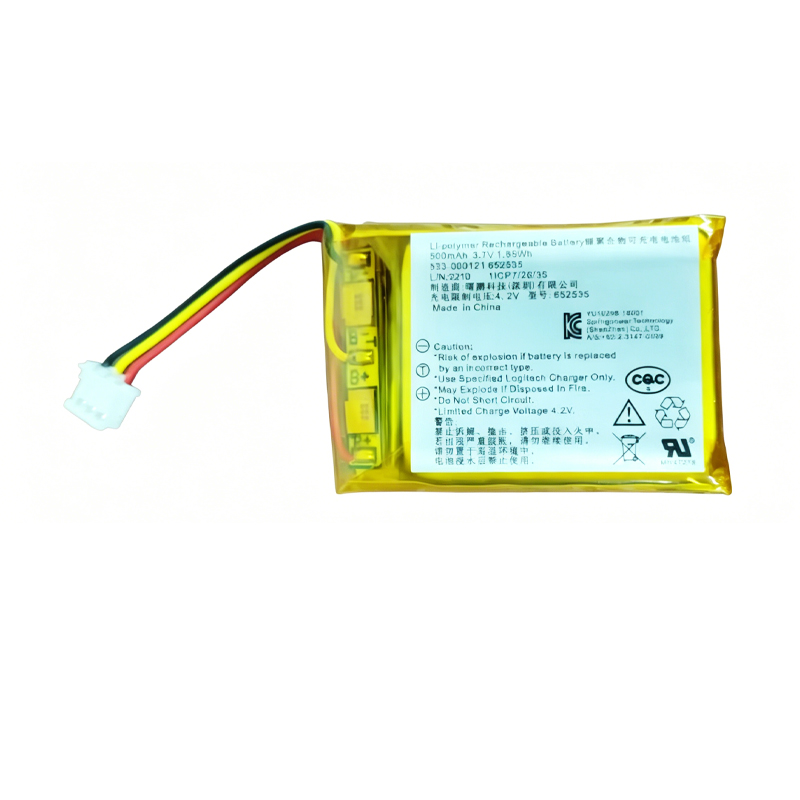
Battery model: 533-000121, 652535
Capacity: 500mAh / 1.85Wh
Rated voltage: 3.7V
Charge limit voltage: 4.2V
Battery type: Li-Polymer (Rechargeable Lithium Polymer)
Compatible with: Logitech MX Anywhere 2, Logitech MX Anywhere 2S
Replaces part numbers: 533-000088, 533-000120, 533-000121, 652535, AHB303450, AHB572535PJT, 910-004362, M-RO052
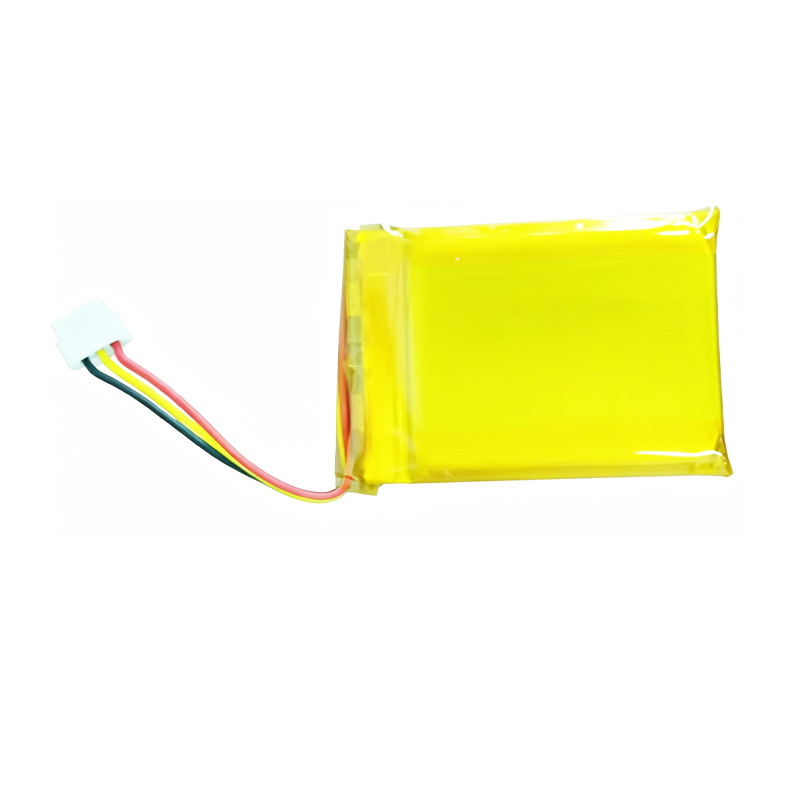
Package include: 1 x battery
Revive your Logitech MX Anywhere 2 or MX Anywhere 2S wireless mouse with this high-quality 533-000121 652535 replacement battery. Designed specifically for Logitech’s popular MX series, this 500mAh Li-Polymer cell restores your mouse’s original battery life, giving you up to 70 days of use on a single full charge — perfect for business travelers, remote workers, and everyday users who rely on their mouse for productivity.
Logitech MX Anywhere 2 / 2S Background: The Logitech MX Anywhere series has earned a stellar reputation as one of the best portable productivity mice on the market, ideal for use on any surface — from glass desks to hotel room tables. The MX Anywhere 2 was released in late 2015, and the MX Anywhere 2S followed in mid-2017. Despite their age, these mice remain highly functional thanks to Logitech’s Darkfield laser tracking, hyper-fast scrolling, and seamless multi-device pairing (up to 3 devices via Bluetooth). However, like all rechargeable batteries, the original 500mAh Li-Polymer battery degrades over time. If you’ve noticed your mouse dying after just a few days instead of weeks, or requiring constant recharging, this replacement is exactly what you need.
Performance & Features: This replacement battery delivers the original 500mAh capacity, supporting Logitech’s fast charging feature — just 3 minutes of charging provides up to 1 hour of use, giving you a full day’s work with only a short coffee break charge. With a full charge, you’ll enjoy up to 70 days of battery life under typical usage (approximately 6-8 hours of daily use). The built-in integrated microchip provides intelligent power management, preventing overcharge, over-discharge, and short circuits to maximize battery lifespan. Made with grade A cells and certified for safety with CE and RoHS standards, this battery is a safe and reliable replacement for your original.
Compatibility Verification: This battery is compatible with Logitech MX Anywhere 2 and MX Anywhere 2S wireless mice. Before purchasing, please open your mouse and verify that your original battery has one of the following part numbers printed on it: 533-000088, 533-000120, 533-000121, 652535, AHB303450, AHB572535PJT, 910-004362, or M-RO052. This battery does NOT fit MX Master 2, MX Master 3, MX Anywhere 3, or MX Ergo models unless they share the same 652535 battery type.
DIY Installation Guide (For Experienced Users): Replacing the battery in your MX Anywhere 2/2S is a medium-difficulty repair that takes approximately 30-45 minutes. Before starting, power off your mouse. Use a hair dryer or heat gun (low temperature, max 70°C) to gently warm the mouse feet and soften the adhesive, then carefully peel off the feet without creasing them. Remove the four Phillips screws, separate the upper shell from the lower case, and disconnect the old battery’s JST connector by pulling from the plug itself — never pull the wires directly. Connect the new battery, tuck the cables neatly, reassemble, and press the feet firmly back into place. ⚠️ If you’re not confident performing this repair, professional installation is strongly recommended.
Battery Care Tips: To maximize the lifespan of your replacement battery, avoid frequent full discharges — keep the charge level above 20% when possible. Li-Polymer batteries prefer partial discharges over full cycles. Store in a cool, dry location away from direct sunlight and high temperatures (ideally between 10°C and 30°C). When using the battery for the first time, charge it fully before initial use to calibrate the battery gauge. If you notice swelling, overheating, or performance degradation, stop using the battery immediately.
Discover more from Battery.qingsm.tech
Subscribe to get the latest posts sent to your email.
Reviews
There are no reviews yet.