
Description
✅ Condition: New – Factory-tested quality & Warranty
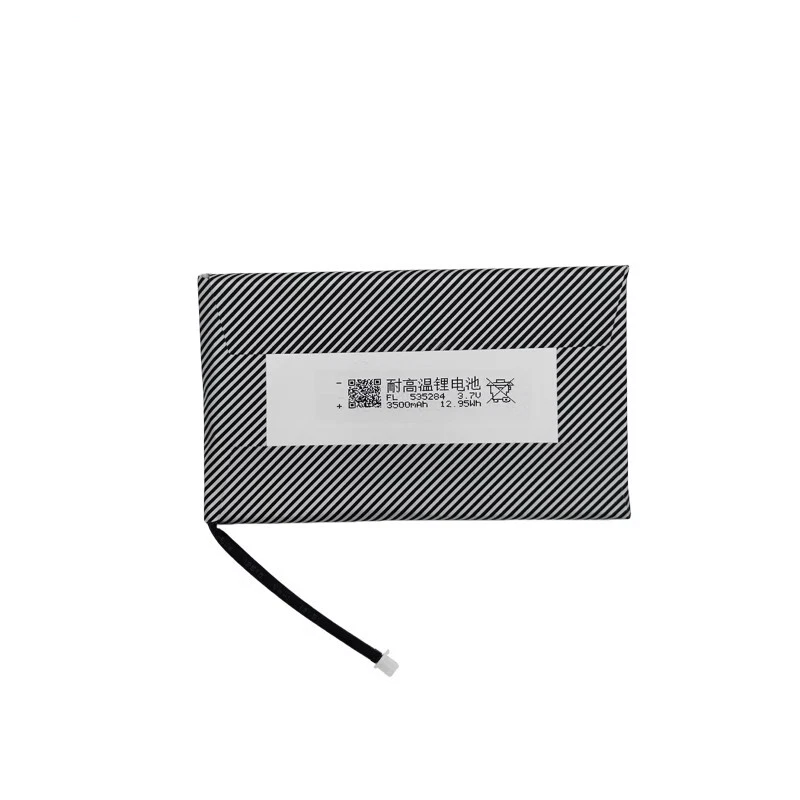
✅ 3500mAh High Capacity – Grade A Li‑ion Polymer cells
✅ CE / RoHS / UN38.3 Certified
✅ 90-Day Warranty from delivery – Longer coverage than major platforms
✅ Ships in 3-7 days with tracking
🛡️ Shipping Protection Available at Checkout
✅ PayPal Buyer Protection included
✅ 100% Compatibility Guarantee – If it doesn’t fit, we’ll refund you. No questions asked.
⚠️ Low Stock Alert: Only 8 left in stock. Order now to avoid waiting.
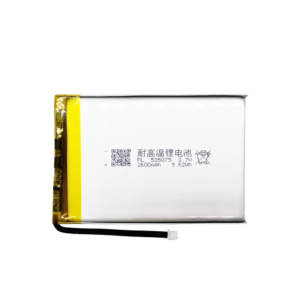
Battery model: For Anbernic RG353P
Capacity: 3500mAh
Rated voltage: 3.7V
Charge limit voltage: 4.2V
Battery type: Li-ion Polymer (Grade A cells)
Compatible with: Anbernic RG353P Handheld Console
Package include: 1 x battery
Keep your retro gaming sessions uninterrupted with this 3500mAh Li-ion Polymer replacement battery, precision-made for the Anbernic RG353P. Unlike generic cells, this battery respects the RG353P’s unique SNES-inspired ergonomic housing – maintaining the correct cell thickness (≤5.2mm) and original‑spec 2‑pin micro connector orientation so the backplate closes flush without pressure points. It’s engineered to support the device’s dual-boot Android 12 and Linux (JELOS/ArkOS) environment, delivering stable power whether you’re running PSP emulators or lightweight Android apps.
Technical Details for RG353P Owners: The RG353P uses a Rockchip RK3566 chipset paired with a 3.5-inch 640×480 IPS screen. This battery matches the original 4.2V charge termination voltage and uses low‑resistance cells (under 70mΩ) to prevent voltage drops during high‑demand emulation (N64, Dreamcast). The built-in protection circuit module (PCM) provides over‑charge, over‑discharge, short‑circuit, and over‑current protection. CE, RoHS, and UN38.3 certified. For longevity, avoid frequent full drains – lithium‑ion cells prefer partial discharges.
Step‑by‑Step Installation Guide for RG353P: 1) Power off the device and remove the four small Phillips screws on the back (use PH00 screwdriver). 2) Gently separate the backplate starting from the shoulder button area – the battery is in the lower half. 3) Use a plastic spudger to lift the original battery. 4) Disconnect the old battery’s connector by pulling the plug (not the wires). 5) Connect the new battery (the connector is keyed, it only fits one way), then reassemble. 6) If the device doesn’t power on, leave it plugged into a 5V/2A charger for 10‑15 minutes to activate the protection circuit.
Compatibility & Dual-Boot Note: This battery fits the Anbernic RG353P only – not the RG353M (metal), RG353V/VS, or RG351 series. The RG353P is distinguished by its SNES-style purple/grey or clear black shell and stacked shoulder buttons. After installing a new battery in a dual‑boot device, perform one full charge cycle (drain to auto‑shutoff, then charge uninterrupted to 100%) to help Android and Linux calibrate battery reporting.
Battery Care for Handhelds: For maximum lifespan, keep battery level between 20% and 80% for daily use. Do not leave the RG353P on a fast charger – only use a standard 5V/2A charger (QuickCharge or PD chargers can confuse the charge controller). If storing the device for more than 2 months, keep the battery at about 60% charge. Stop using immediately if the battery shows any swelling.
Discover more from Battery.qingsm.tech
Subscribe to get the latest posts sent to your email.
Reviews
There are no reviews yet.