
Description
✅ Condition: New – Factory-tested quality & Warranty
✅ 3200mAh High Capacity – Extended dual OS gaming sessions
✅ CE / RoHS / UN38.3 Certified
✅ 90-Day Warranty from delivery – Longer coverage than major platforms
✅ Ships in 3-7 days with tracking
🛡️ Shipping Protection Available at Checkout
✅ PayPal Buyer Protection included
✅ 100% Compatibility Guarantee – If it doesn’t fit, we’ll refund you. No questions asked.
⚠️ Low Stock Alert: Only 8 left in stock. Order now to avoid waiting.
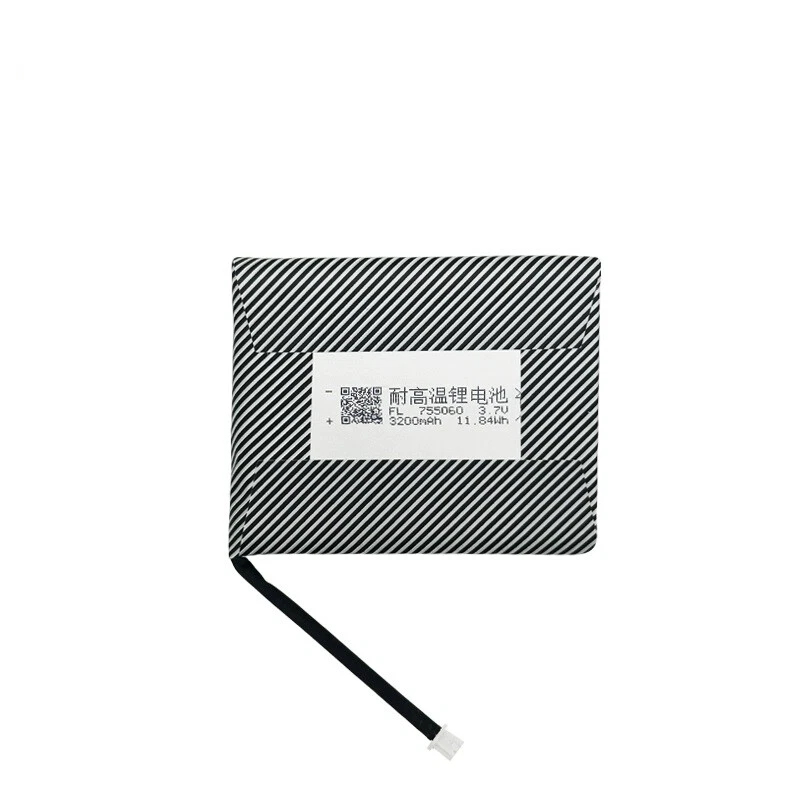
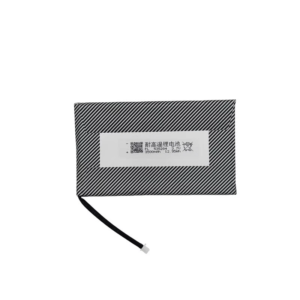
Battery model: For Anbernic RG353V
Capacity: 3200mAh
Rated voltage: 3.7V
Charge limit voltage: 4.2V
Battery type: Li-ion Polymer (Grade A cells)
Compatible with: Anbernic RG353V, Anbernic RG 353V
Package include: 1 x battery
Keep your Anbernic RG353V vertical handheld console powered for countless retro gaming sessions with this 3200mAh Li-ion Polymer replacement battery. The RG353V is distinguished by its classic vertical Game Boy-style form factor, 3.5-inch IPS touchscreen, and dual-boot capability (Android 12 and Linux). Unlike horizontal handhelds, the RG353V’s vertical shell has very specific internal space constraints — this battery matches the original cell’s dimensions and uses the correct small 2‑pin micro connector with the cable exiting at the proper angle. Generic batteries are often slightly thicker or have incorrect cable routing, causing the backplate to bulge or the battery to shift inside the vertical compartment.
Technical Details for RG353V Owners: The RG353V runs on a Rockchip RK3566 processor with a 3.5-inch 640×480 IPS touchscreen. This 3200mAh replacement battery for Anbernic RG353V maintains the original 4.2V charge termination voltage and uses low‑resistance cells to ensure stable power delivery whether you’re in Android or Linux mode. The built-in protection circuit module (PCM) guards against over‑charge, over‑discharge, short circuit, and over‑current. CE, RoHS, and UN38.3 certified. For best longevity, avoid frequently draining the battery below 10% — lithium-ion cells prefer partial discharges.
Step‑by‑Step Installation Guide for Vertical Shell: 1) Power off the device completely. 2) Remove the four small Phillips screws on the back (use PH00 screwdriver) — note that the RG353V has screws in each corner of the vertical shell. 3) Gently separate the backplate starting from the bottom edge; the vertical shell uses plastic clips along the sides, so pry carefully with a plastic spudger. 4) The battery is located in the lower half of the vertical body, connected to the motherboard by a small 2‑pin connector. 5) Use a plastic spudger to lift the original battery (it is lightly adhered). 6) Disconnect the old battery’s connector by pulling the plug (not the wires). 7) Connect the new battery — the connector is keyed and only fits one way; do not force it. 8) Place the new battery in the compartment, ensuring no wires are pinched, then reassemble the backplate. 9) If the device doesn’t power on after battery replacement, leave it connected to a 5V/2A charger for 10‑15 minutes to activate the protection circuit.
Compatibility Note: Fits Anbernic RG353V and RG 353V only — not compatible with RG353M (metal horizontal), RG353VS (Linux-only version), RG351 series, or RG35XX series. The RG353V is distinguished by its vertical Game Boy-style form factor, 3.5-inch touchscreen, and dual-boot Android/Linux capability. Before ordering, please open the back panel to confirm your battery’s connector type and cable routing. If your RG353V shuts down unexpectedly when the battery indicator still shows charge, or if battery life is significantly reduced in either Android or Linux mode, this 3200mAh replacement battery for Anbernic RG353V will restore stable power delivery.
Battery Care for Vertical Handheld: For maximum lifespan, keep battery level between 20% and 80% for daily use. Do not use Quick Charge (QC) or Power Delivery (PD) fast chargers — only use a standard 5V/2A charger. The RG353V’s charging circuit is not designed for fast charging protocols. If storing the device for more than 2 months, keep the battery at approximately 60% charge. Avoid leaving the RG353V in hot environments (e.g., inside a car in summer) — heat accelerates battery degradation. Stop using immediately if the battery shows any swelling. For optimal Anbernic RG353V battery life, after installing a new battery, perform a full discharge-recharge cycle in each OS (drain until auto-shutoff in Android, then charge to 100%; repeat in Linux) to help both operating systems calibrate battery level reporting accurately.
Discover more from Battery.qingsm.tech
Subscribe to get the latest posts sent to your email.
Reviews
There are no reviews yet.